Trusting Your Root CA (iOS)
-
Ensure you have downloaded your Root CA.
-
Open your iCloud Downloads folder and click on the certificate. It will display a dialog box that says
Profile Downloaded. Click "Close". -
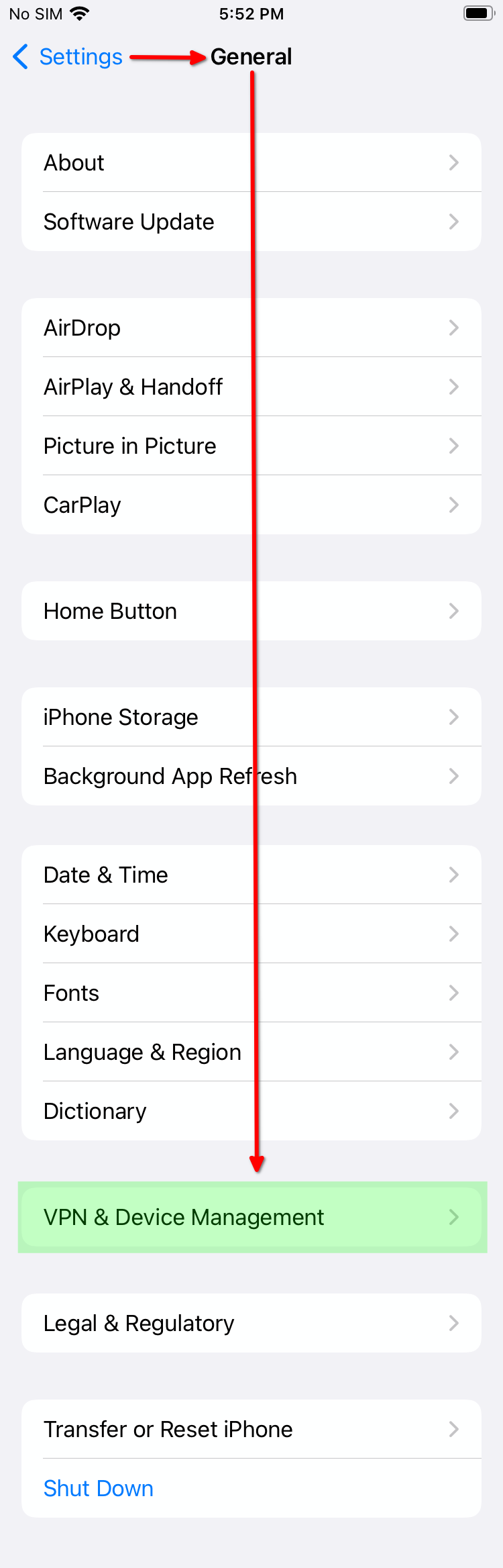
Head to Settings > General > VPN & Device Management:
-
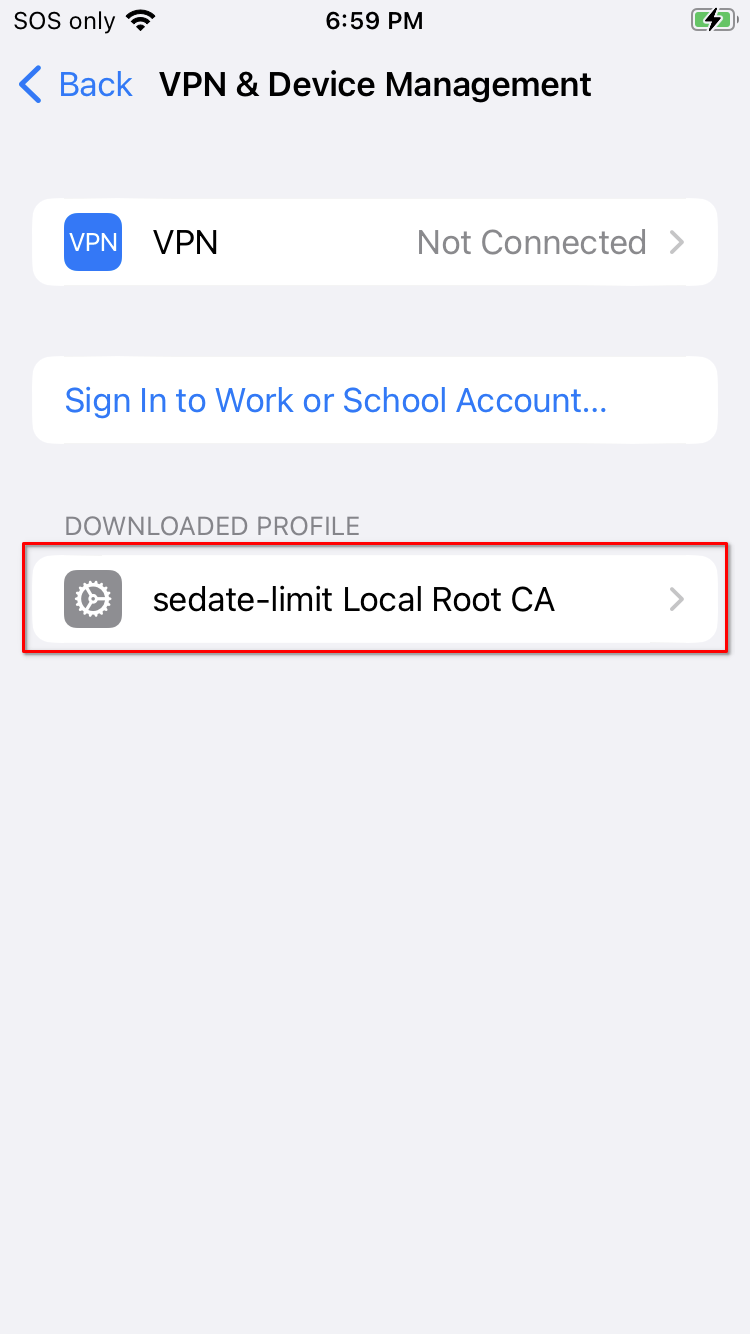
Under "DOWNLOADED PROFILE", click your Root CA:
-
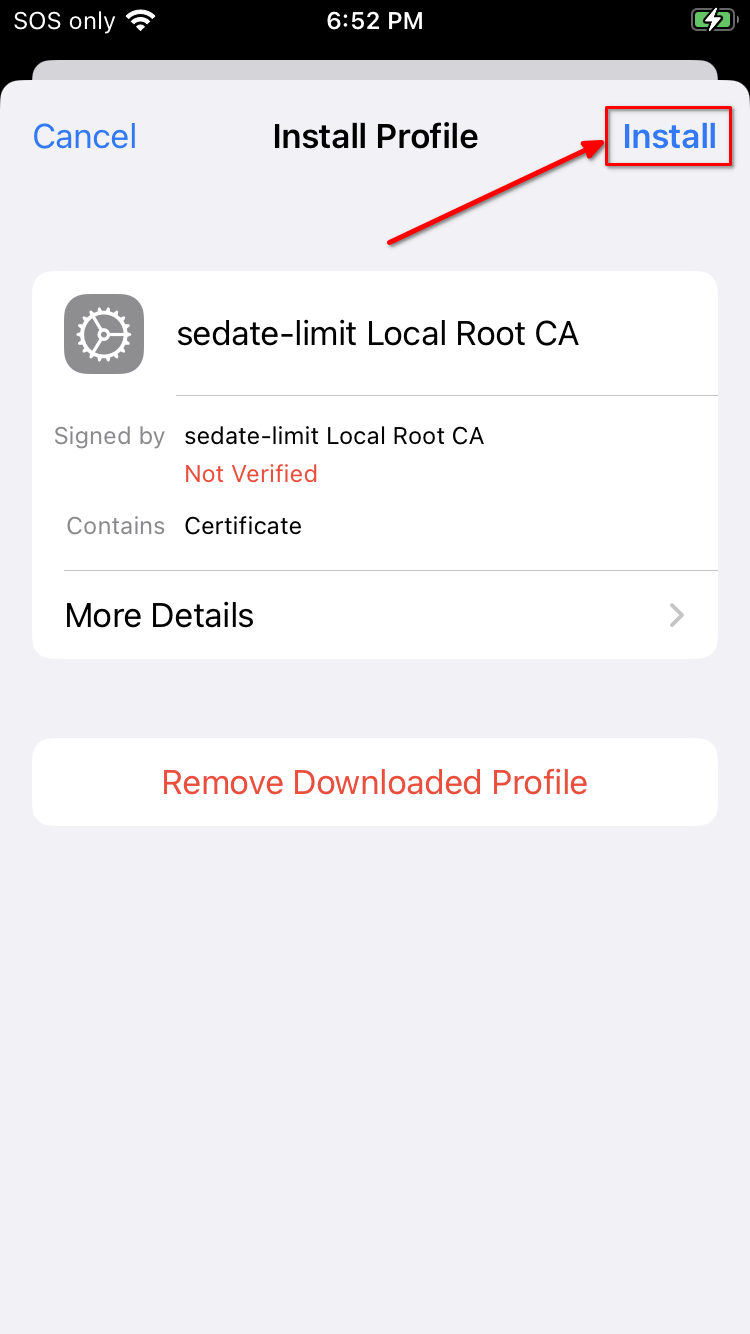
Click "Install":
-
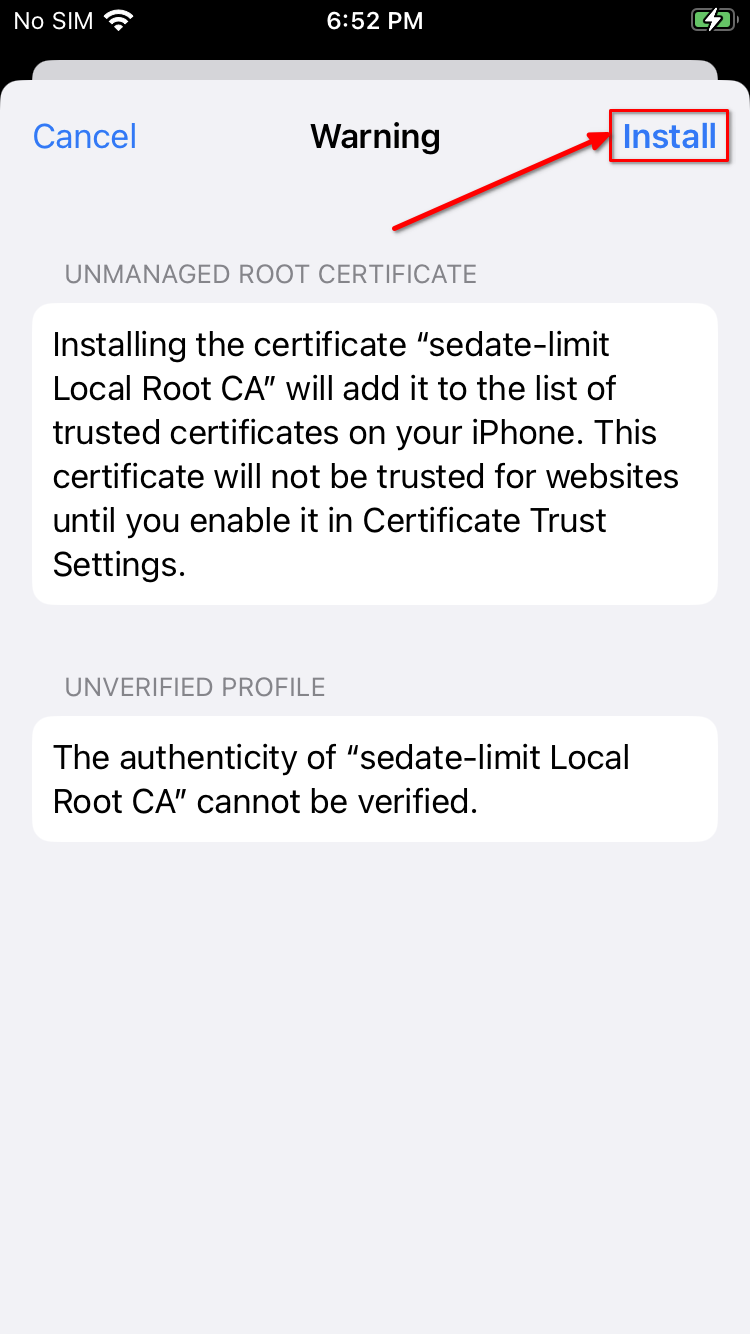
Click "Install" again:
-
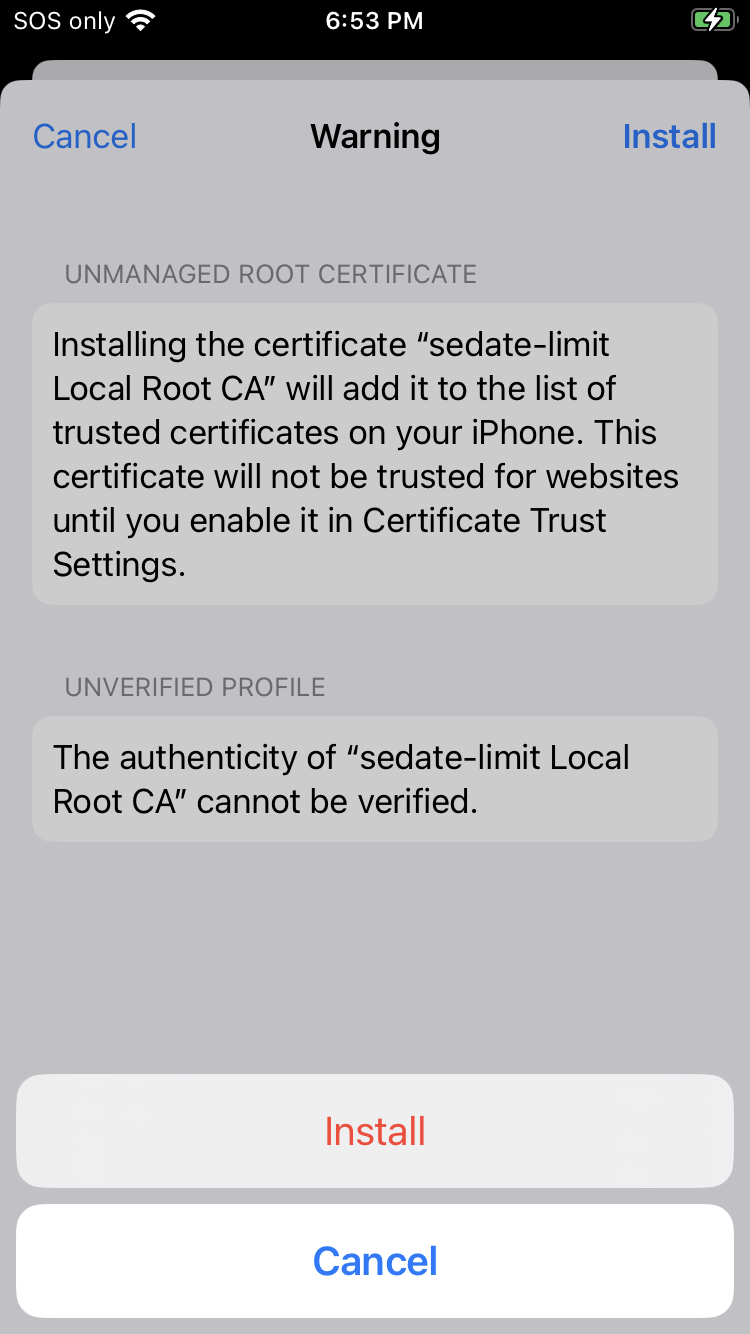
Click "Install" for a 3rd time:
-
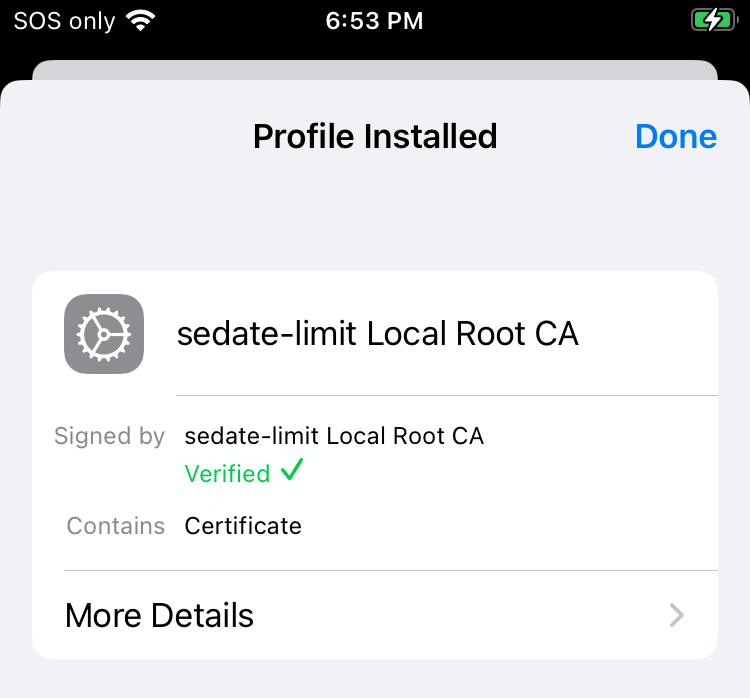
You should see green text with a check-mark saying "Verified" under the Profile Installed dialog:
-
Tap "Done".
-
Go to
General > About > Certificate Trust Settingsand enable your Root Ca: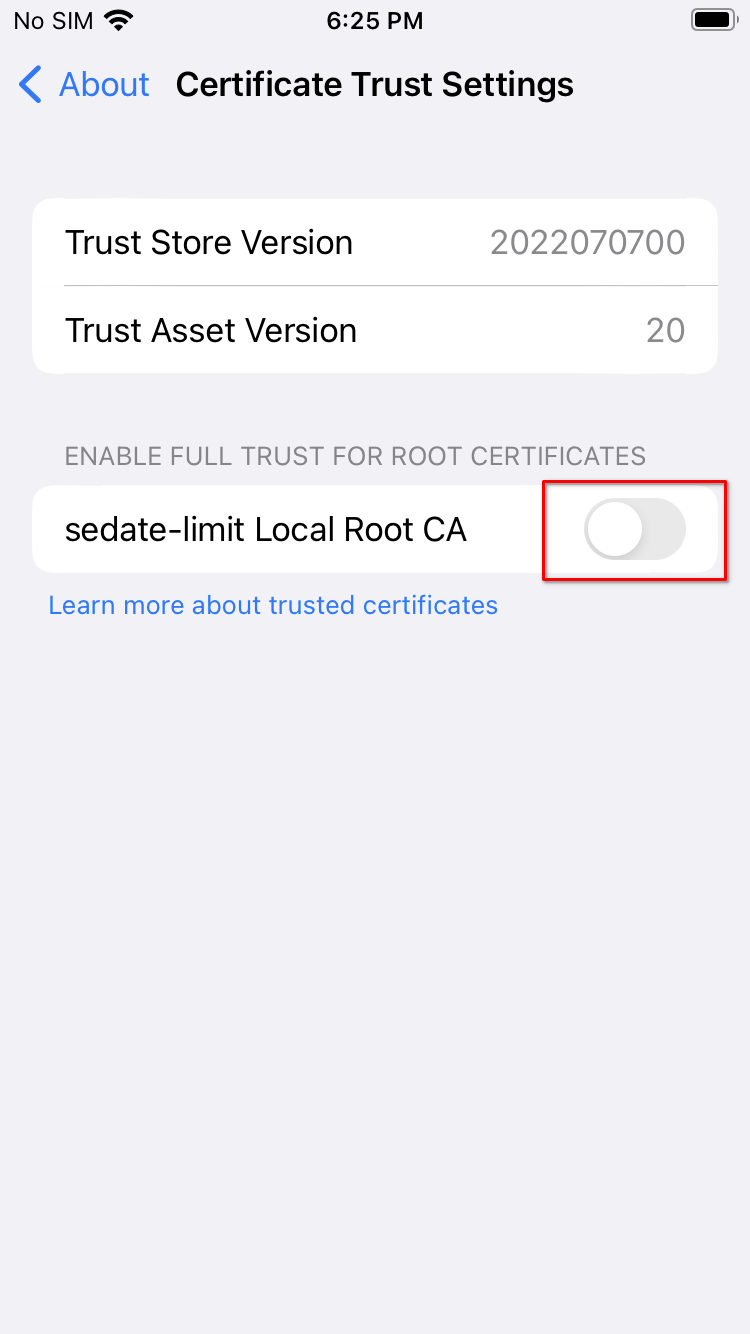
-
Click "Continue".